
Skip to content
30-Day Home Return Promise Order tracking provided Encrypted retailer checkout
Claim Up To 57% Off

Lightning · USB-C · Micro-USB · USB-A · Zero Cloud Subscriptions

Recovstick Pro for Effortless Phone Backups

Running out of smartphone space during a birthday party or family vacation should never force you to delete cherished photos or rent monthly cloud storage. With four built-in connectors on one pocket hub, this drive backs up your phones, tablets, and laptops offline in minutes.

From $47.21 per unit · up to 57% off

4.8/5

  • Four integrated tips fit iPhone, iPad, Android, Mac, and Windows PCs
  • Direct hardware transfers preserve full photo & 4K video clarity
  • Works 100% offline with zero Wi-Fi needed and zero monthly bills
  • Save up to 57% ($47.21/ea on 4× pack) + 30-Day Home Return Promise
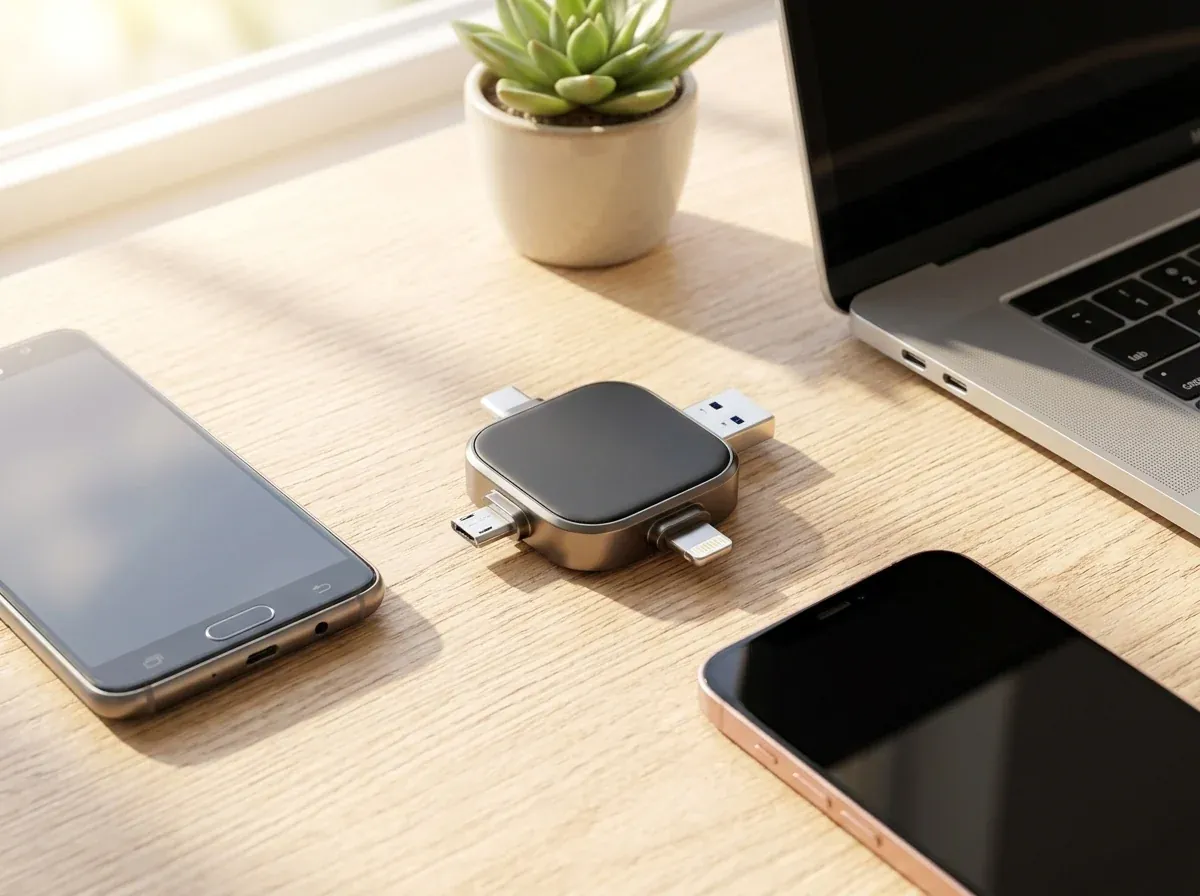
Recovstick Pro 4-in-1 flash backup drive resting on a sunlit oak desk between two smartphones and a laptop
Built-in hardware connectors
4-in-1
Never pay recurring cloud rent
$0 / Mo
Plus OTG Android, PC & Mac
iOS 13+
Home return promise
30 Days

Overview

Stop Letting "Storage Full" Pop-Ups Interrupt Your Memories

Cloud uploads stall when Wi-Fi is weak, and single-port thumb sticks cannot plug into your phone.

Between high-resolution portrait photos, school recitals, and family travel videos, a smartphone camera roll fills up faster than most people expect. And when your phone refuses to snap another picture, waiting hours for a cloud sync over cellular data—or paying an endless monthly subscription fee—is the last thing anyone wants.

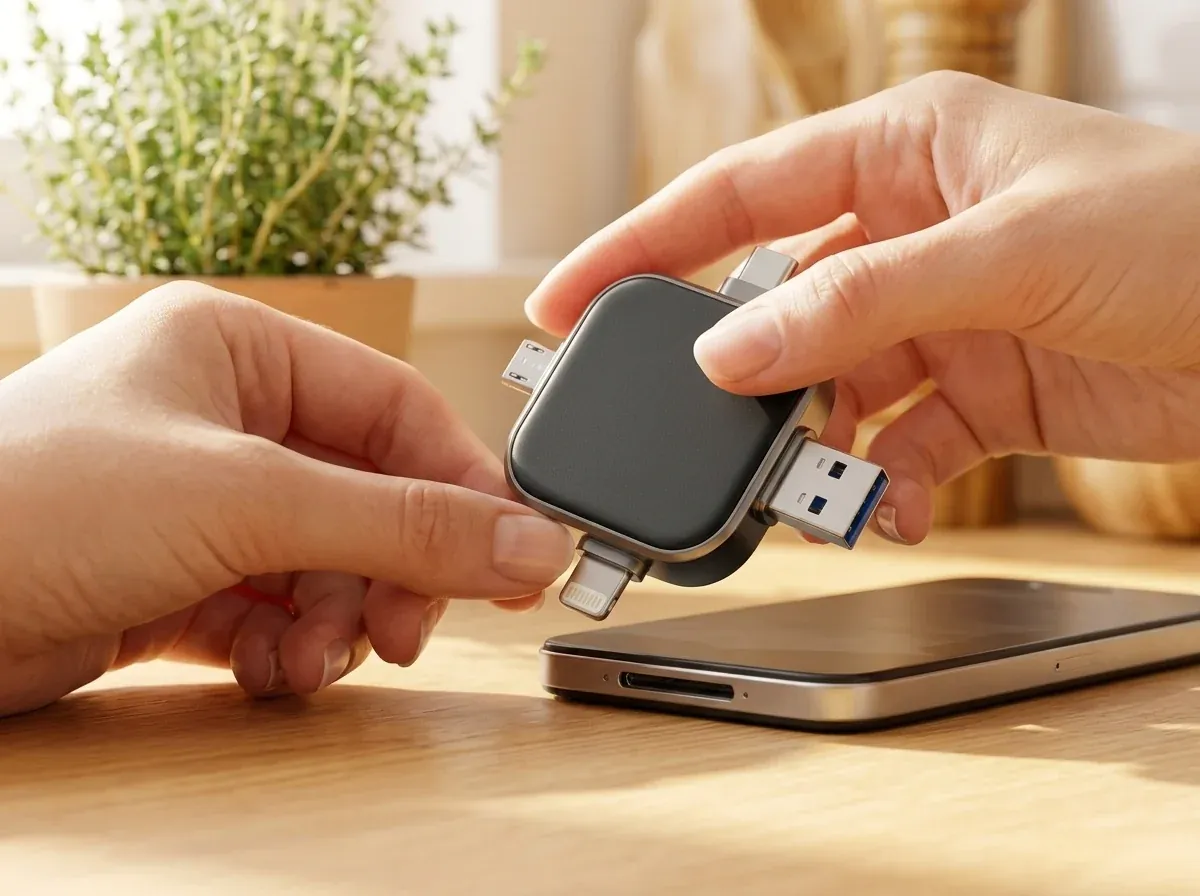
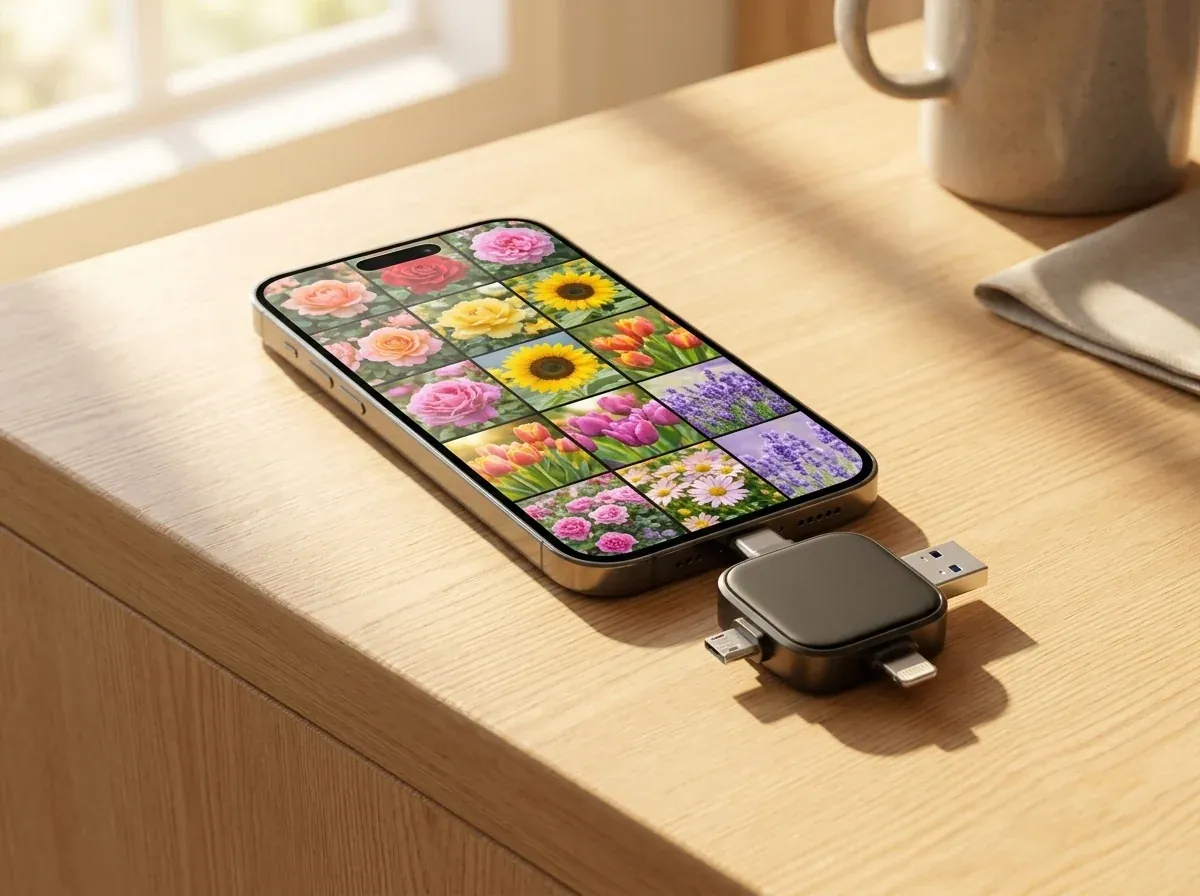
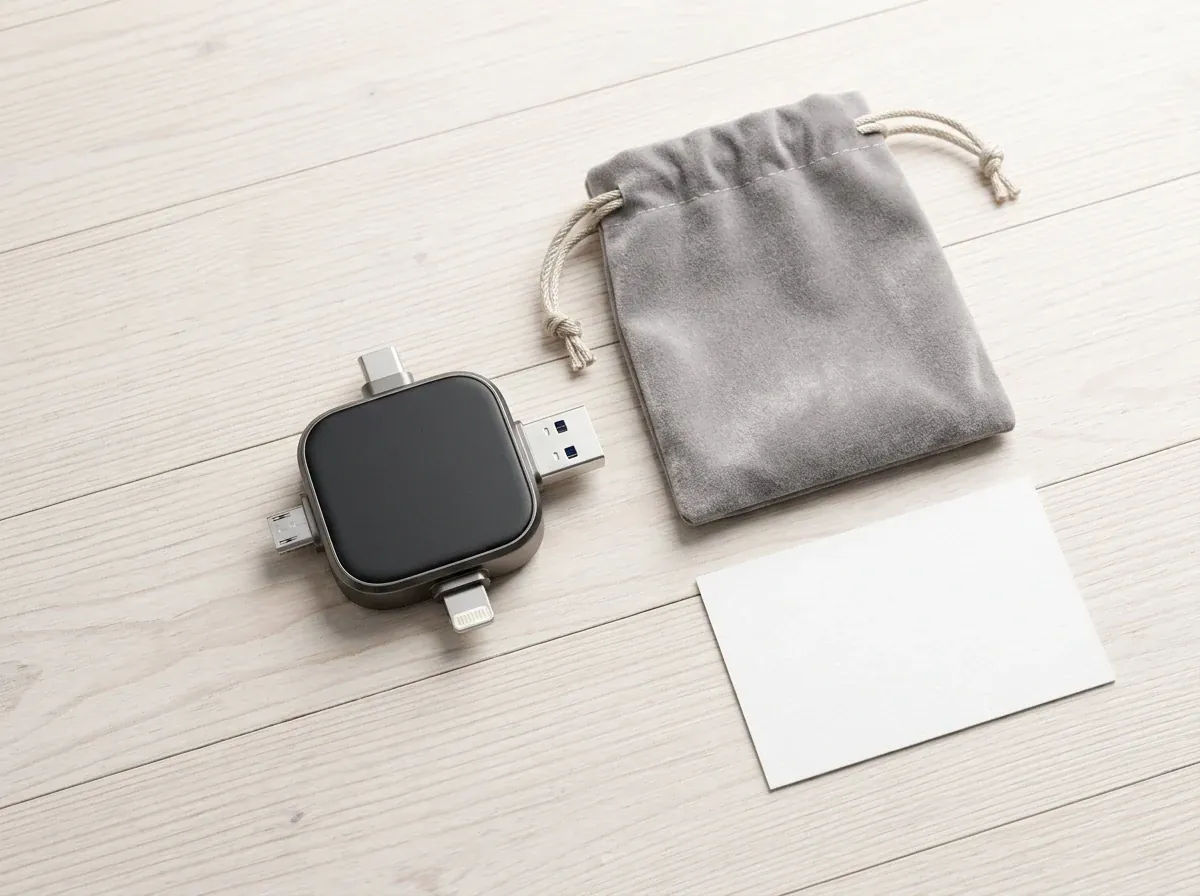
Recovstick Pro gives your household a straightforward physical backup solution that fits in a coin pocket. Engineered as a rounded square hub with four built-in metal connectors—Apple Lightning, USB-C, Micro-USB, and full-size USB-A—it plugs directly into your phone or tablet to move gigabytes of media onto solid-state memory, then plugs straight into any home computer whenever you want to view or organize your albums.

  • Clears thousands of photos and videos off crowded phones in one sitting
  • Connects directly to iPhones/iPads (iOS 13+) and OTG-enabled Android phones
  • Rescues forgotten pictures from older Micro-USB phones in your desk drawer
  • Stores private family albums and scanned documents safely offline at home
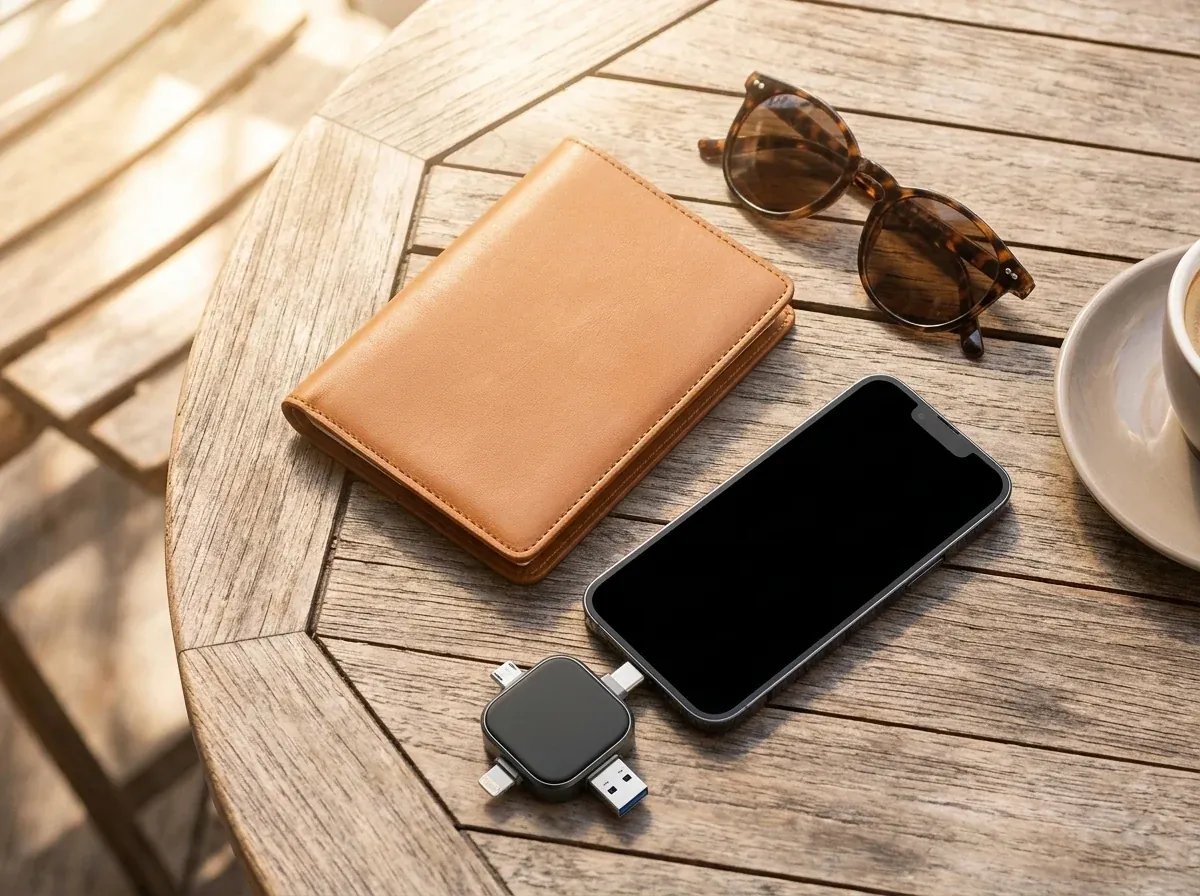
Woman smiling at a sunny wooden table while backing up smartphone photos to her Recovstick Pro drive
One compact hub connects every phone, tablet, and computer under your roof.

How it works

Four Smart Reasons Families Switch to Recovstick Pro

Purpose-built to make cross-device photo archiving simple for everyone in the house.

1

All Four Connectors Built Into One Pocket Square

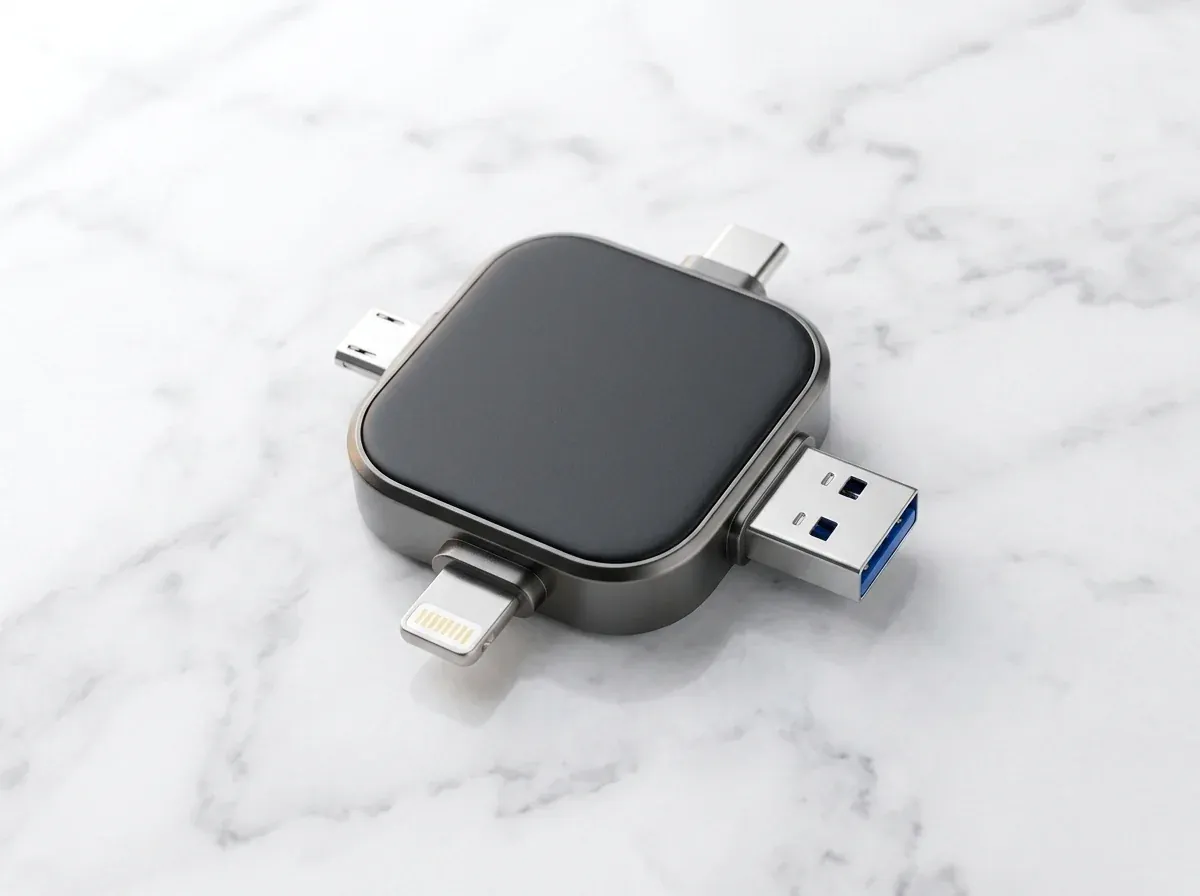
Keeping track of separate Lightning-to-USB dongles and USB-C adapters is almost impossible when you are traveling or cleaning out old electronics. Recovstick Pro molds all four essential interfaces—Lightning, USB Type-C, Micro-USB, and rectangular USB-A—directly into a single gunmetal-and-matte chassis. Because every connector is permanently attached to the central flash core, you can unplug from an iPhone and plug straight into a Windows desktop or Android tablet five seconds later. The compact square footprint slips into a coin pocket, purse, or laptop sleeve without adding bulk or snagging on fabric.
2

Simple iPhone Companion App & Native Android Files Support

You do not need a computer science degree or complicated desktop sync software to safeguard your camera roll. On iPhones and iPads running iOS 13 or higher, a free companion app guides you through selecting and copying your photo albums onto the drive. On OTG-compatible Android phones, the drive mounts right inside your phone’s standard Files app—letting you highlight camera folders and copy them over with zero extra software to install. Whether you are saving ten photos from a weekend brunch or three thousand clips from a road trip, the process stays clear and predictable.

3

100% Offline Hardware Transfers With Zero Cloud Compression

Texting a video or uploading to budget cloud services often shrinks your crisp 4K footage into a grainy, compressed clip. Because Recovstick Pro transfers files straight through your device’s physical port without touching the internet, every photo and video is saved in its exact original resolution. Better yet, it works anywhere—on a long-haul airplane flight, at a remote cabin, or in your living room—without using a single megabyte of Wi-Fi or mobile data. Your private family albums, home videos, and scanned household records stay strictly under your roof rather than on a remote web server.

4

Effortless Computer Archiving & Family Photo Sharing

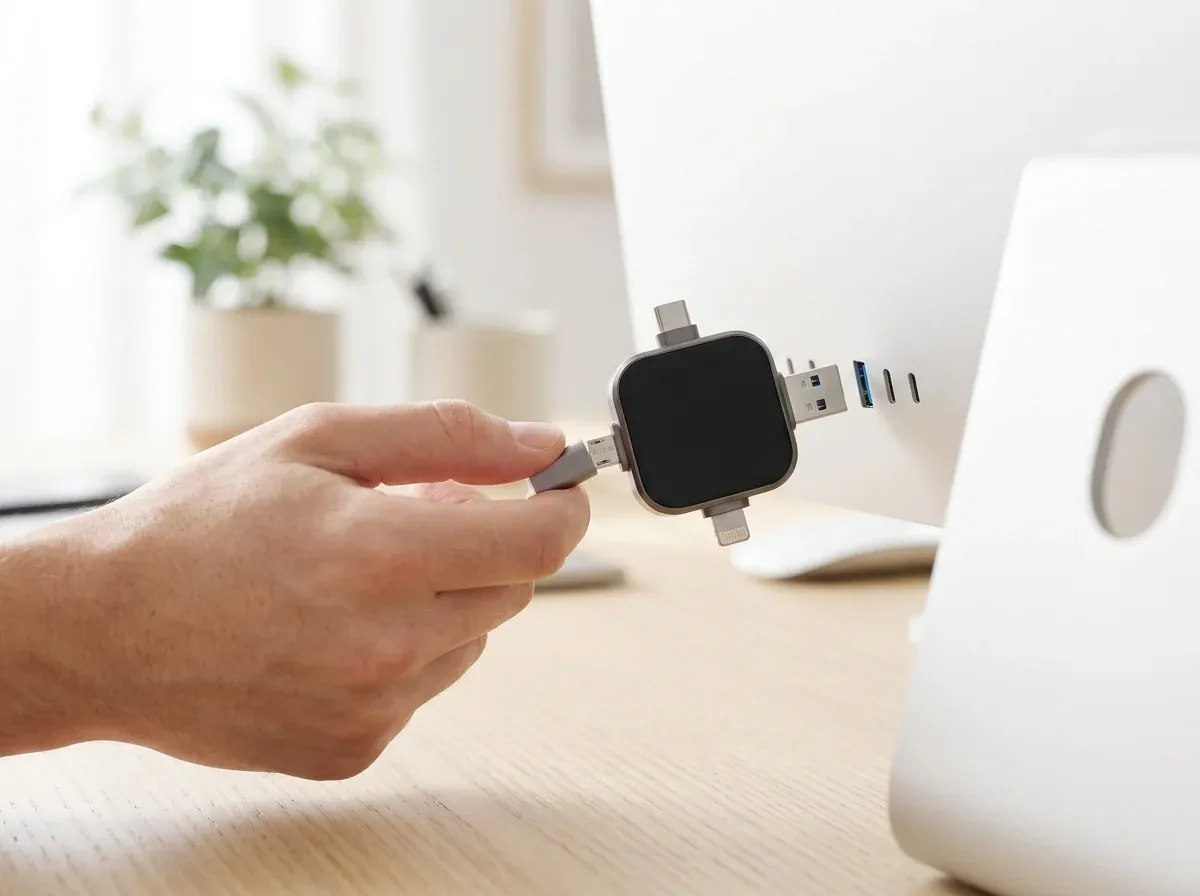
Once your phone clips are copied onto Recovstick Pro, viewing them on a big screen or backing them up to a home computer takes seconds. Simply plug the full-size USB-A tip or the reversible USB-C tip into any Windows PC, MacBook, or iMac. The drive appears immediately on your desktop so you can sort photos into labeled folders, print holiday cards, or hand a physical drive full of grandkid videos to family members. Because standard USB-A and USB-C ports are built right in, both brand-new ultrabooks and older desktop towers recognize the drive on contact.

In everyday use

Designed for Multi-Phone Households, Travel & Long-Term Keepsakes

See why 3,758+ customers across North America and Europe trust Recovstick Pro with their memories.

Close-up of the Recovstick Pro 4-in-1 flash drive on white marble showing its Lightning, USB-C, Micro-USB, and USB-A connectors

Every Device Under One Roof

Move Photos Freely Between Apple, Android, Mac & Windows

In most homes today, no two devices share the exact same charging port: one person carries a Lightning iPhone, another uses a USB-C Android or newer iPad, an old drawer phone still has Micro-USB, and the family laptop relies on classic USB-A ports.

Recovstick Pro turns all of those incompatible ports into one smooth workflow. You can plug the Micro-USB side into an older OTG-capable Android phone to recover years of early family snapshots, add this year’s vacation videos from an iOS 13+ iPhone, and plug the USB-A end into your desktop computer to keep everything organized in one place. Nobody has to create a cloud account, remember a password, or wait on slow internet uploads. Even large four-minute 4K video clips move from handset to computer in seconds while preserving every bit of visual sharpness and original audio. It is the simplest way to unite every generation of phone and computer in your home.

Works with iOS 13+ (iPhone/iPad), OTG Android (USB-C & Micro-USB), Windows, and Mac.

Recovstick Pro connected to a thin silver laptop beside a coffee cup on a bright wooden desk

Pay Once, Own Forever

Save Up to 57% on Household Bundles With Zero Monthly Fees

Renting cloud space means paying a monthly bill year after year just to keep your own photos—and if a card expires or subscription prices rise, your albums are held hostage. Recovstick Pro lets you own your backup hardware outright with a single purchase.

Multi-drive bundles make it easy to keep one drive for everyday phone offloads, store a second copy in a safe deposit box, and gift a third to parents or grandparents at up to 57% off: choose 1× Recovstick Pro for $55.54 (50% off), 2× units for $52.77 each ($105.54 total, 53% off), the 3× Recommended Deal for $49.99 each ($149.97 total, 55% off), or 4× units for $47.21 each ($188.84 total, 57% off). Every bar comes packed in protective packaging with a printed setup guide and our 30-day home return promise. Keeping an extra drive in your desk drawer or travel bag means your household always has spare offline storage ready whenever a camera roll fills up.

Includes printed iOS & Android quick-start guide and 30-Day Home Return Promise.

Getting started

How to Use Recovstick Pro in 4 Simple Steps

No complicated cables or cloud passwords required.

  1. Plug In the Matching Tip
    Step 1

    Plug In the Matching Tip

    Choose the Lightning, USB-C, Micro-USB, or USB-A connector and insert it into your phone, tablet, or computer.

  2. Open Companion App or Files
    Step 2

    Open Companion App or Files

    Launch the free companion app on iOS 13+ devices, or open the standard Files manager on OTG Android phones.

  3. Copy Photos, Videos & Docs
    Step 3

    Copy Photos, Videos & Docs

    Select the camera-roll albums, 4K clips, or PDFs you want to save and copy them straight to the drive.

  4. Unplug & Enjoy Free Space
    Step 4

    Unplug & Enjoy Free Space

    Remove the drive, delete the backed-up copies from your phone storage, and plug into any PC or Mac to view anytime.

Specifications

Recovstick Pro Technical Details & Compatibility

Complete connector specifications, supported operating systems, and care notes.

Model Name
Recovstick Pro (Quad-Connector Flash Backup Hub)
Built-In Connectors
Apple Lightning, USB Type-C, Micro-USB & full-size USB-A
Apple Compatibility
iPhones & iPads running iOS 13 or later (uses free companion app)
Android Compatibility
OTG-enabled Android phones & tablets via USB-C or Micro-USB
Computer Compatibility
Plug-and-play on Windows PCs and Apple Mac computers (USB-A / USB-C)
Supported File Formats
Photos, HD/4K videos, music files, PDFs, and work documents
Transfer Method
100% offline local hardware transfer — no Wi-Fi or cell data needed
Recurring Costs
$0 monthly cloud fees — one-time hardware purchase
Exterior Finish
Pocket-sized gunmetal rim with matte non-slip center pad
Care & Storage
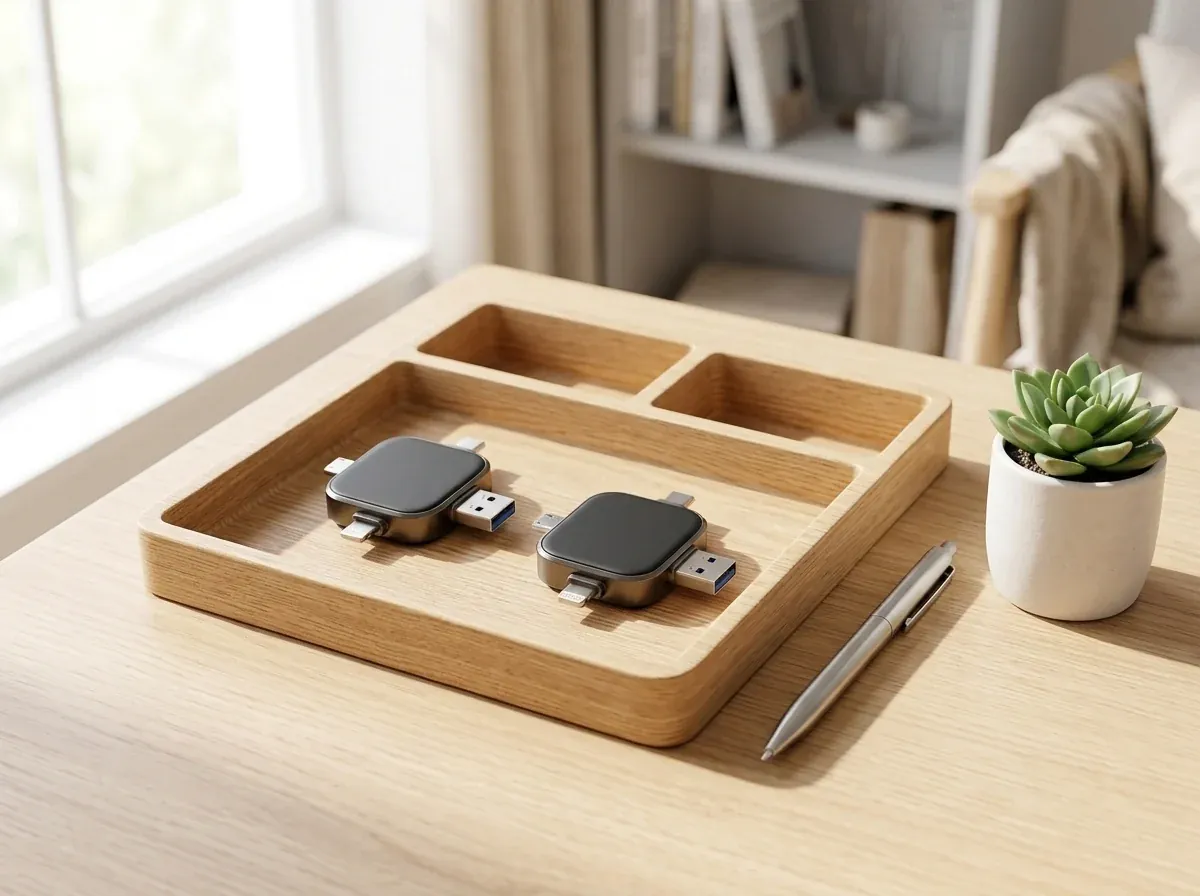
Keep connectors dry and free of lint; store in a drawer or pouch
Shipping Regions
Tracked courier dispatch to US, Canada & Germany
Guarantee & Support
30-Day Home Return Promise · help@therecovstickpro.com

In the box

Inside Your Recovstick Pro Package

Carefully packed for doorstep arrival and immediate plug-and-play use.

Unboxed Recovstick Pro 4-in-1 flash drive with retail box and instruction booklet on a bright table
  • Main Drive

    Recovstick Pro 4-in-1 Unit

    Compact solid-state backup drive with four integrated metal tips.

  • Quad Ports

    4 Permanent Connectors

    Built-in Lightning, USB-C, Micro-USB, and USB-A interfaces.

  • Guide

    Illustrated User Guide

    Step-by-step instructions for iOS 13+ app setup and Android OTG copying.

  • Guarantee

    30-Day Return Coverage

    Protected by our 30-Day Home Return Promise and support desk.

Compared

How Recovstick Pro Compares to Cloud Plans & Thumb Drives

More compatibility and zero monthly bills in a pocket-sized square.

FeatureRecovstick ProMonthly Cloud PlansSingle USB-A StickDesktop Cable Sync
4 Built-In Tips (Lightning/USB-C/Micro/USB-A) Yesall 4 on one hub No NoUSB-A only Noseparate cords
Zero Monthly Subscription Fees Yesone-time purchase Nobilled every month Yes Yes
100% Offline Speed Without Wi-Fi Yesworks anywhere Noneeds fast internet Yes Yes
Plugs Directly Into iPhone (iOS 13+) & Android Yesdirect port fit Variesslow cloud upload Norequires dongle Noneeds computer
Rescues Photos From Old Micro-USB OTG Phones Yesbuilt-in Micro-USB Variesif phone still connects No Variesif cable still works
Private Physical Hardware Ownership Yesstays in your home Noremote cloud server Yes Yes

Comparison reflects verified Recovstick Pro specifications versus common cloud subscriptions and single-port flash drives.

Is it for you?

Is Recovstick Pro Right for Your Household?

Check device compatibility before selecting your bundle.

A wonderful fit if you…

  • Use an iPhone or iPad (running iOS 13+) or an OTG-capable Android phone and want to clear "Storage Almost Full" alerts in minutes
  • Have older Micro-USB Android phones in a drawer and want to move their photos onto a modern computer
  • Prefer keeping family albums, home videos, and personal PDFs on private physical hardware with zero monthly cloud fees
  • Want an easy way to share uncompressed wedding or vacation videos with relatives across Apple, Android, and Windows devices

Consider another option if you…

  • Apple devices running iOS 12 or older: iPhones and iPads require iOS 13 or newer and the free companion app to transfer media with Recovstick Pro.
  • Legacy Android phones without USB OTG: Older Android phones must support USB On-The-Go (OTG) in their settings to read and write to external flash drives.

Owner reviews

Loved by 3,758+ Owners Across North America & Europe

4.8 out of 5 average rating from verified household buyers.

4.8/5

4.8 / 5 average from 3,758+ customer orders

Claim Up To 57% Off
Confirmed Order · Duo Set

Cleared 3,500 Photos Off My iPhone in One Afternoon

My iPhone kept warning me that storage was full every time I tried to take a video of my granddaughter, and I did not want another monthly cloud bill on my credit card. Plugging the Recovstick Pro into my phone after downloading the free companion app was so straightforward. I copied more than three thousand photos and videos onto the drive while drinking my morning coffee, then plugged the USB-A side into my Windows laptop to see them all on a big screen. Having all four tips permanently attached to one solid hub meant I did not need to buy a single extra adapter cord for my laptop.

Melissa G.Charlotte, NC · Autumn 2026
Confirmed Order · Solo Drive

Recovered Pictures From Two Old Phones We Thought Were Lost

We had two old Android phones from years ago with Micro-USB charging ports sitting in our kitchen drawer, full of family camping photos. Because both phones had OTG enabled, we plugged the Micro-USB tip of Recovstick Pro right into them, opened the Files app, and copied every single photo folder in minutes. Then we plugged the USB-C end into our new iMac and backed everything up. Having all four connectors on one tiny device is a brilliant design. Seeing those early family camping videos play smoothly on our desktop monitor after sitting in a drawer for years was wonderful. We now use it every month to keep our current phones backed up too.

Arthur D.Ottawa, ON · Autumn 2026
Confirmed Order · Trio Pack

Our Whole Family Uses the 3-Pack for Travel and Holidays

Between my Lightning iPhone, my husband’s USB-C Android phone, and my daughter’s iPad, sharing vacation videos used to mean blurry text messages or waiting forever on hotel Wi-Fi. We ordered the 3-pack Recommended Deal so we each have a Recovstick Pro in our carry-on bag. We can offload 4K videos right on the airplane in Airplane Mode and swap clips between our phones and laptop effortlessly. Even when our hotel had terrible internet reception, we could clear space on all three phones before heading out the next morning. At under fifty dollars per drive on the three-pack, it has already paid for itself.

Valerie H.Phoenix, AZ · Autumn 2026
Confirmed Order · Solo Drive

Solid Gunmetal Build and Zero Adapter Dongles to Lose

I used to carry a regular USB thumb drive plus two little plastic adapter tips in my laptop bag, and one of the adapters was always missing when I needed it. Recovstick Pro has all four connectors permanently built into a sturdy, pocket-sized square. I use it every week to move PDF inspection reports and job-site photos from my phone to my office desktop PC without waiting for cloud folders to sync. It has saved me hours of waiting around for large project folders to upload and download over slow office connections. The matte center pad gives your fingers a secure grip every time you plug it in.

Greg S.Seattle, WA · Late Autumn 2026
Confirmed Order · Family Pack

Peace of Mind Keeping Our Family Albums & Tax PDFs Offline

I have never felt comfortable keeping all of our scanned family documents, tax records, and personal photos on a remote cloud server that charges a fee every month. We bought the 4-pack of Recovstick Pro drives so we could keep two organized drives in our home fire safe and give the other two to our kids. At $47.21 per unit on the 4-pack, it is a fantastic one-time investment. Knowing that our private documents and family photos are sitting safely in our own home safe instead of on a rented cloud server feels great. Every drive arrived neatly boxed with clear printed instructions for both Apple and Android.

Claudia R.Stuttgart, DE · Late Autumn 2026
Confirmed Order · Trio Pack

Easiest Way to Share Full-Quality Videos With Grandparents

My parents do not use cloud storage accounts and their rural internet connection is too slow to stream large 4K family videos. With Recovstick Pro, I copied all of our autumn family reunion photos and videos from my iPhone and my brother’s Android phone onto one drive and handed it to my dad. He plugged the USB-A side into his desktop computer and every video played smoothly right away. My parents were so happy with how easy it was to browse the reunion folders that we ordered an extra drive just for their house. Having a physical keepsake drive that requires zero internet setup made all the difference.

Marcus N.Denver, CO · Late Autumn 2026

Up to 57% off today

Order Recovstick Pro at Up to 57% Off

All bundles include tracked courier shipping and our 30-Day Home Return Promise.

Recovstick 1× Recovstick Pro×1

1× Recovstick Pro

Single 4-in-1 Drive · 50% Off

$55.54 one-time

Total $55.54 $111.09 −50%

  • 1× Recovstick Pro 4-in-1 flash backup drive
  • Built-in Lightning, USB-C, Micro-USB & USB-A tips
  • Save $55.55 (50% off $111.09 regular price)
  • 30-Day Home Return Promise
Order 1× Drive — Save 50%
Recovstick 2× Recovstick Pro×2

2× Recovstick Pro

Couple Backup Set · 53% Off

$52.77 per unit

Total $105.54 $222.18 −53%

  • 2× Recovstick Pro 4-in-1 drives ($52.77 each)
  • Keep one in your travel bag + one at home
  • Save $116.64 off regular retail total
  • 30-Day Home Return Promise
Order 2× Drives — Save 53%
Recommended Deal · 55% Off
Recovstick 3× Recovstick Pro×3

3× Recovstick Pro

Most Popular 3-Pack Bundle

$49.99 per unit

Total $149.97 $333.27 −55%

  • 3× Recovstick Pro 4-in-1 drives ($49.99 each)
  • Perfect for phone offload, safe backup & gifting
  • Works with iOS 13+, OTG Android, Windows & Mac
  • Save $183.30 + Priority Tracked Delivery
Order 3× Drives — Save 55%
Best Household Value · 57% Off
Recovstick 4× Recovstick Pro×4

4× Recovstick Pro

Family 4-Pack · 57% Off

$47.21 per unit

Total $188.84 $444.36 −57%

  • 4× Recovstick Pro drives ($47.21 each — best value)
  • Organize separate drives by family member or year
  • Save $255.52 off regular retail pricing
  • Priority Tracked Delivery + 30-Day Guarantee
Order 4× Drives — Save 57%

Your pick 3× Recovstick Pro $149.97 $333.27 Save 55%

Order 3× Drives — Save 55%
  • 30-Day Home Return Promise from delivery date
  • Direct regional checkout for US, Canada & Germany shoppers
  • Includes illustrated iOS & Android setup guide with every unit

Promotional pricing: 1× at $55.54, 2× at $52.77/ea, 3× Recommended Deal at $49.99/ea, and 4× at $47.21/ea (Germany checkout displays EUR equivalents).

FAQ

Helpful Details Before You Order Recovstick Pro

Straightforward answers on how our 4-in-1 flash backup drive works.

30-Day Home Return Promise from the retailer. Your total is shown on the checkout before you pay.

Order help: help@therecovstickpro.com

Claim Up To 57% Off

How do the four built-in connectors work across different devices?

Recovstick Pro integrates Apple Lightning, USB Type-C, Micro-USB, and standard USB-A around one shared solid-state flash memory core. You simply plug the matching tip into your iPhone, iPad, Android phone, or computer to copy files onto the drive or open them on another device. Because all four interfaces are built directly into the housing, you can switch between phones, tablets, and computers without hunting for adapters.

What is required to use Recovstick Pro with an iPhone or iPad?

Your iPhone or iPad must run iOS 13 or later. The first time you connect the drive, you install a free companion app from the App Store that lets you select photo albums, videos, and documents to copy between your Apple device and the Recovstick Pro. Once installed, the app lets you browse your camera roll, pick specific albums or dates, and copy everything over in just a few taps.

How does it work on Android phones and tablets?

On Android phones and tablets that support USB On-The-Go (OTG) via USB-C or Micro-USB, no extra app installation is needed. Just plug the drive in, open your phone’s built-in Files manager, select your camera roll folders, and copy them straight to the external drive. That native Files integration makes it effortless to back up camera folders, downloaded PDFs, and audio recordings whenever your storage runs low.

Can I use it on a flight or in areas without Wi-Fi?

Yes. Because Recovstick Pro transfers data directly through your device’s physical port rather than over the internet, it works 100% offline—even when your phone is in Airplane Mode on a flight or out in the mountains with zero cellular service. Your phone supplies all the power the solid-state chip needs right through the charging port, so there are no batteries to charge either.

Are there any monthly fees or cloud subscriptions required?

Never. Recovstick Pro is a one-time hardware purchase. You own the physical flash drive outright and never have to pay a monthly cloud storage fee or create an online account to access your own photos and videos. Every file you save onto the drive remains accessible anytime you plug it in, without logins, passwords, or recurring billing.

Does transferring video to the drive reduce 4K video quality?

No. Unlike messaging apps or social platforms that compress video files, Recovstick Pro copies the exact original file from your camera roll so every photo and 4K video retains 100% of its original resolution and detail. When you plug the drive into a laptop or desktop monitor later, your videos play back with the exact same clarity they had on your phone.

How do I move files from the drive onto my Windows PC or Mac?

Flip Recovstick Pro to its full-size USB-A tip or reversible USB-C tip and plug it directly into your Windows computer, MacBook, or iMac. It mounts immediately as a standard external drive for easy drag-and-drop organization. From there you can drag folders onto your hard drive, rename albums by season, or open files directly from the Recovstick Pro.

How should I care for the drive when carrying it in a bag?

Recovstick Pro features a durable gunmetal-and-matte housing with no moving parts. Keep the metal connector tips dry and free of pocket lint, and always eject or close your file transfer before unplugging the drive from your device. Storing the hub inside a small drawer compartment or travel pouch keeps the four metal tips clean and ready for years of use.

Which countries can order from this store?

We support direct checkout and tracked courier delivery for addresses in the United States, Canada, and Germany. You will receive a live tracking link by email as soon as your order dispatches. Every shipment includes end-to-end courier tracking from our regional warehouse straight to your front door. Every parcel travels via regional ground courier after leaving our regional dispatch center.

What is covered by the 30-Day Home Return Promise?

Try Recovstick Pro at home with your phones and computers for 30 full days from delivery. If you are not completely delighted with how easily it clears your phone storage, email our customer care team at help@therecovstickpro.com or call +1 (888) 739-4102 within 30 days for return instructions and a refund.

Up to 57% off today

Protect Every Family Photo and Video Offline With Recovstick Pro

Skip recurring cloud bills and missing adapter dongles. Claim up to 57% off Recovstick Pro today with our 30-Day Home Return Promise.

Claim Up To 57% Off — View Packages
−57% Up to 57% off RecovstickFrom $47.21 per unit Claim Up To 57% Off — Order Now